
Outlook Newsletter Email Templates


What Are Outlook Newsletter Email Templates?
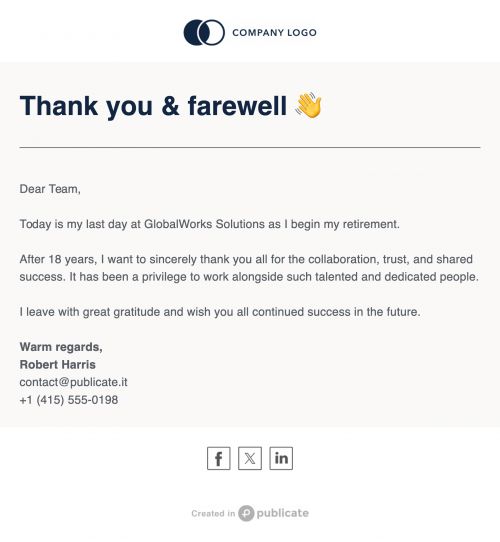
Outlook newsletter email templates are layouts designed to work within Outlook’s desktop and web apps. They make it easier to format newsletters consistently and save time by avoiding the need to rebuild designs for every send.
The challenge is that Outlook wasn’t built for advanced email design. Its rendering engine often struggles with multi-column layouts, non-standard fonts, or mobile responsiveness. This can lead to misaligned sections, images that don’t load properly, and formatting inconsistencies between desktop and mobile. Publicate solves these problems by generating Outlook-ready HTML that is tested for formatting stability. With Publicate, you can design your newsletter in a drag-and-drop editor and insert it into Outlook without touching a single line of code.
How Publicate and Outlook Work Together
Publicate integrates seamlessly with Outlook, making it easy to design and send professional newsletters. The workflow is straightforward:
- Build in Publicate: Use the editor to add sections, headings, images, videos, and calls-to-action into a structured newsletter layout.
- Export for Outlook: Select the "Send with Outlook" option or copy the HTML into an Outlook message body with one click.
- No Formatting Issues: Publicate’s code is optimized for Outlook’s rendering, reducing layout breakage or style loss.
- Responsive and Mobile-Friendly: Emails display correctly in both Outlook desktop and mobile apps.
- Maintain Analytics and Branding: Track opens and clicks with integrated tools, and apply your saved brand assets for consistent design.
Features of Publicate’s Outlook Newsletter Email Templates
Publicate’s templates are designed to meet the specific needs of Outlook users. Key features include:
- Outlook-Ready HTML: Pre-tested for compatibility with older and current Outlook versions.
- Drag-and-Drop Interface: Add and arrange elements visually—no coding required.
- Outlook Add-In (Optional): Connect Publicate directly to Outlook for faster sending.
- Responsive Layouts: Ensure your newsletters are clear and attractive on any device.
- Custom Branding and Fonts: Save your colors, fonts, and logo for one-click application.
- Fast Copy/Paste Functionality: Keep all formatting intact when pasting HTML into Outlook.
Best Practices for Using Outlook Newsletter Templates
Because Outlook’s rendering engine has unique limitations, following best practices can help ensure your newsletters look great when they arrive in inboxes. Our HTML emails in Outlook guide covers this in depth, but key tips include:
- Avoid Complex Multi-Column Layouts: Keep structures simple to avoid misalignment.
- Use Web-Safe Fonts and Inline Styling: Stick to fonts Outlook can render without substitution.
- Use Publicate’s Image Hosting: Ensure images display without requiring downloads or unblocking.
- Include Clear Subject Lines and Preheaders: These improve open rates even though they’re not part of the template itself.
- Preview Before Sending: Test in both Publicate and Outlook to catch any rendering issues early.
Use Cases for Outlook Newsletter Templates
Publicate’s Outlook-compatible templates are useful for a variety of professional communications:
- Internal Team Newsletters: Share updates on KPIs, new hires, or company milestones.
- Departmental Reports: Present quarterly results or strategic goals with clean visuals.
- Event Invitations: Send professional invites with RSVP buttons, event maps, and schedules.
- Client Updates: Recap projects, share new service offerings, or introduce team members.
- Monthly Digest: Curate company content, industry insights, and thought leadership in one polished send.
Each scenario benefits from the ability to design in Publicate and send via Outlook without losing design quality.
Why Publicate Stands Out
Outlook is excellent for sending emails but limited in design capabilities. Publicate fills that gap by offering a step-by-step guide on how to create a newsletter in Outlook and providing templates built for this exact environment. You can focus on your content and brand story while Publicate handles the rendering, responsiveness, and formatting stability. For teams that rely heavily on Outlook for internal and client communications, this combination saves time, eliminates frustration, and results in professional emails that look as good as those sent from advanced marketing platforms.
Conclusion
While Outlook remains a leader in email communication, it was never designed for complex newsletter layouts. Publicate bridges that gap, giving you the tools to design, format, and send visually polished, responsive newsletters without HTML knowledge. With Outlook-ready templates and a drag-and-drop builder, you can send campaigns that stand out for the right reasons. Explore our newsletter templates to get started with newsletters that look great in Outlook every time.


.svg)