
Truck Dispatcher Email Templates


Why Professional Dispatcher Emails Matter
In a fast-paced industry like logistics, timing and accuracy are everything. Dispatchers, freight brokers, and drivers depend on quick, reliable information to keep shipments on schedule. Professional, consistent communication helps everyone stay aligned and confident.
- Improve coordination: Simplify communication for pickup and delivery across multiple routes and time zones.
- Save time: Use standardized email formats to respond faster to routine inquiries.
- Ensure accuracy: Avoid mistakes by including all necessary additional information such as cargo details or delivery instructions.
- Build trust: Clear and professional emails strengthen relationships with clients, carriers, and freight brokers.
In short, effective dispatcher communication isn’t just about sending emails. It’s about keeping your logistics network moving efficiently. Publicate helps dispatchers stay reliable, responsive, and in control of every route.
Examples of Truck Dispatcher Email Templates
Every day, dispatchers handle dozens of messages, from scheduling updates to issue resolutions. Having a set of truck dispatcher email templates makes these communications faster and more consistent.
Here are some examples you can adapt to your own workflow:
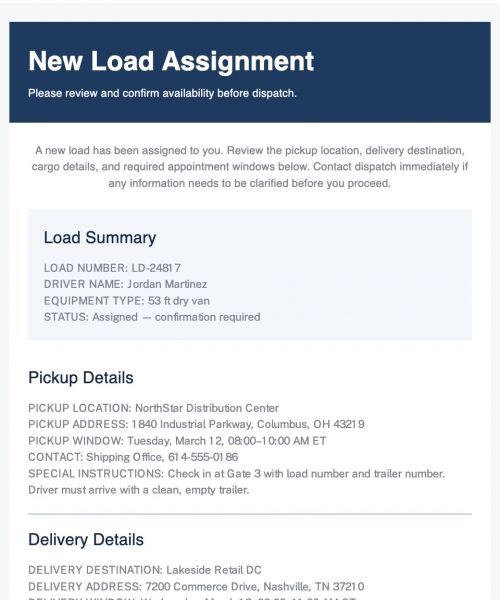
- Load Assignment Email: When assigning a new load, include all the details the driver needs. Clearly state the pickup and delivery locations, route, timing, and load specifics. You can also attach relevant documents or instructions.
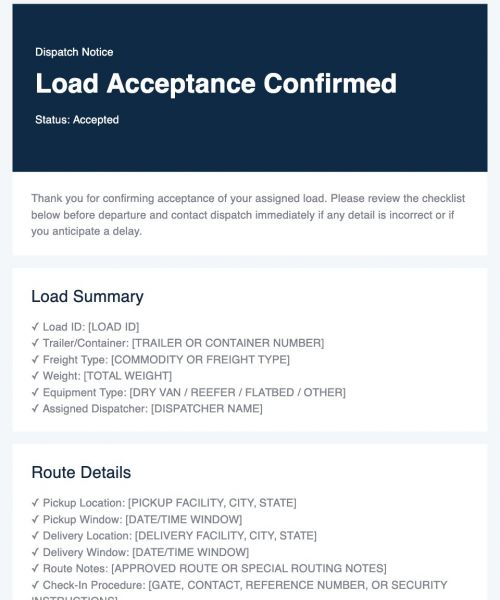
- Pickup and Delivery Confirmation: Once a shipment is scheduled, confirm all details with both driver and broker. Use a standardized email that lists dates, addresses, contact numbers, and any additional information about special handling.
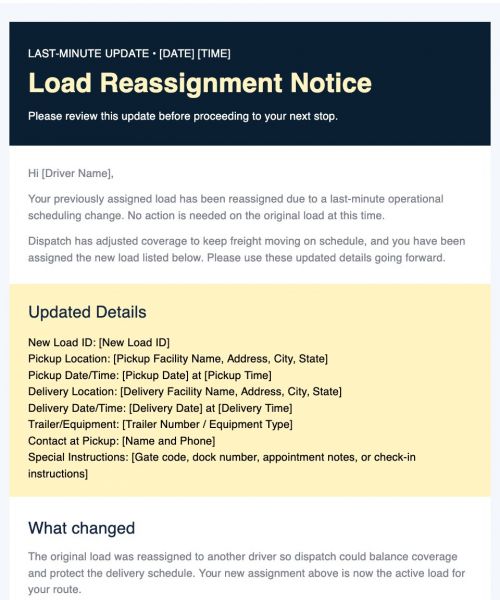
- Status Update Email: Keep brokers and clients informed throughout the journey. Include the estimated arrival time (ETA), current route, or any changes to the schedule.
- Freight Broker Communication: Maintain good communication with freight brokers by providing shipment updates, progress reports, or clarifying instructions to avoid misunderstandings.
- Delay or Incident Email: When delays or issues occur, notify clients and partners promptly. Acknowledge the issue, provide context, and outline next steps to resolve it.
Each truck dispatcher email template can be tailored with branding, tone, and relevant fields using Publicate’s drag-and-drop editor. Explore the Product page.
Product pageKey Features That Support Dispatch Teams
The logistics industry demands precision, and your communication tools should match that. Publicate gives dispatch teams the flexibility and control they need to manage daily communication efficiently.
Here’s how:
- Customizable Templates: Create polished, user-friendly templates that match your company’s tone and structure.
- Mobile Responsive Design: Ensure every message displays clearly on any device.
- Saved Templates & Team Workspaces: Keep communication organized by allowing multiple dispatchers to access shared email templates.
- Standardized Email Formats: Maintain a consistent layout across all messages for professionalism and clarity.
- Automation & Integrations: Automate load assignments, reminders, and updates with built-in scheduling and third-party integrations.
Best Practices for Truck Dispatcher Emails
To make the most of your email communication, follow these best practices designed for busy dispatch teams:
- Use clear subject lines like ‘Load Assignment for Route 4529’ or ‘Pickup Confirmation for Client ABC.’
- Be concise and direct to keep communication efficient.
- Always include delivery locations, addresses, and contact details.
- Double-check additional information before sending emails.
- Leverage customizable templates for consistent messaging.
- Add clear CTAs like ‘Confirm Receipt’, ‘Update ETA’, or ‘Acknowledge Delivery.’
- Maintain professionalism even under time pressure.
Testimonial
"The templates are easy to use and save our team hours each week. It’s the best tool for dispatchers."
"The templates are easy to use and save our team hours each week. It’s the best tool for dispatchers."
Tom Nguyen, Operations CoordinatorConclusion
Dispatchers are at the heart of every successful logistics operation. From coordinating routes to managing client expectations, communication must be accurate, timely, and professional.
With Publicate’s truck dispatcher email templates, you can create reliable, well-organized emails that make coordination effortless.
The best part? Every template is fully customizable, mobile-responsive, and designed to save time. Try Publicate today and create truck dispatcher email templates that keep your logistics efficient and your communication seamless.
Try Publicate today


.svg)