AI Builder
The most powerful AI newsletter builder available. Not just text and image tools. Publicate's AI works at the whole-newsletter level, handling creation, design, imagery and brand in one go.
Find Out More
All Plans
Newsletter From A Prompt
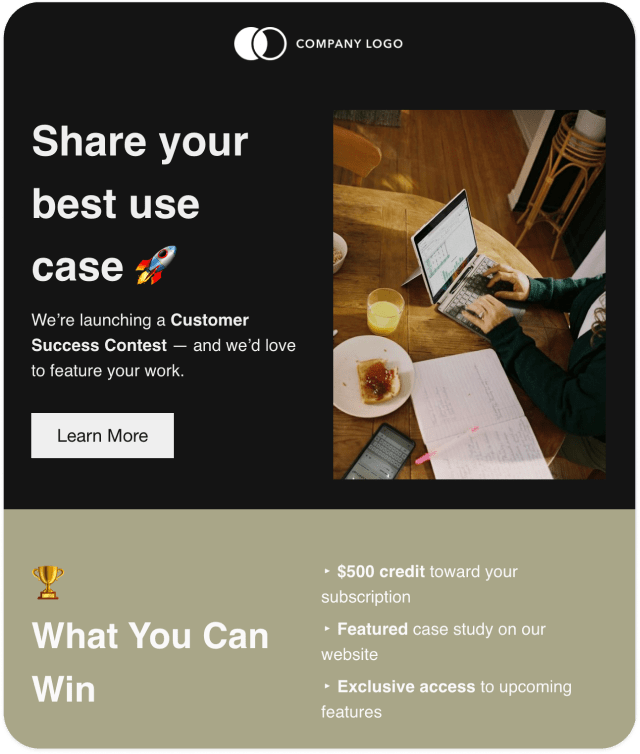
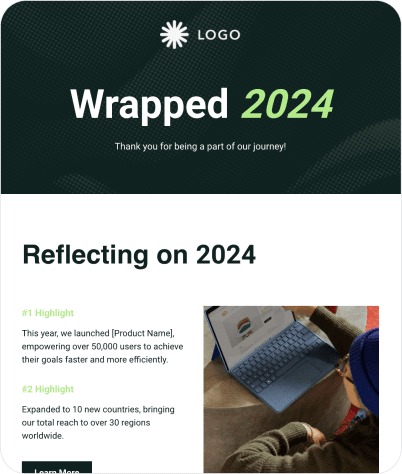
A single prompt and Publicate builds you a complete, professionally designed newsletter; copy, layout and images included. Never start from a blank page again.
All Plans
Generate From Your Content
Select content from your Publicate library and AI turns it into a relevant, ready to send newsletter in seconds.
All Plans
Generate From A Design
Upload any existing design; HTML, PDF or image, and Publicate rebuilds it as a fully editable newsletter. Bring your design inspiration straight into the newsletter.
Plus Plans
Instant On Brand Newsletters
Choose to automatically apply your brand style to any generated newsletter. Engaging newsletters in seconds, and on brand.
All Plans
Mass Edits, ONE prompt
Tell Publicate to "make all CTAs blue" or "add border radius to every image" and it updates the entire newsletter at once. No clicking through elements one by one.
All Plans
AI Image Generation
Generate custom images right inside the editor, without switching tools or breaking your creative flow.
All Plans
In-Editor Text Refinement
Use AI to refine text, make it longer, shorter, sharper or more conversational. Or even use it to summarise added web articles or write an intro paragraph.
All Plans
Auto Subject Lines & Previews
Generate optimised subject lines and preview text for any newsletter with a single click.
Powerful Drag & Drop Editor
A drag-and-drop editor that gives you full creative control, without needing a designer. Precision tools, professional modules and smart shortcuts.
All Plans
Drag & Drop Editor
Build newsletters from your own content, millions of royalty free assets, or a library of professionally designed modules, all by dragging and dropping
All Plans
Inline Image Editing
Crop, resize and align images directly in the editor. Perfect alignment instantly, no switching to an image editor, everything happens right where you're working.
All Plans
Precision Design Controls
Adjust padding, spacing, background colours and background images on any section, row or element - full control over every detail.
All Plans
Drag-to-resize Column Widths
Drag column edges to resize and adjust your layout on the fly. No manual pixel adjustments.
All Plans
Duplicate Content & Layouts
Copy any element — a button, a text block, an image — or an entire column, row or section with one click. Update content, keep the design.
All Plans
Full Multimedia Newsletters
Add any kind of content to your newsletters - text, images, GIFs, video, and even files like PDF, Word, Excel and Google Docs.
All Plans
Engaging Elements
Add and style elements that engage readers, like CTAs and buttons, ecommerce sections, polls and surveys, social shares and social follows
Plus Plans
Polls & Surveys
Add polls and surveys directly inside your newsletter. Collect employee feedback, gauge sentiment or run a quick vote — no third-party tool required.
All Plans
Bulk Content Drag & Drop
Add multiple pieces of content from your library to a newsletter in one drag. Save time building curated or content-heavy newsletters.
All Plans
Reusable Saved Modules
Save any modules (headers, footers, CTAs, content sections etc) that you spent time designing. Just drag and drop to reuse in any future newsletters.
All Plans
Internal Newsletter Navigation
Add a clickable navigation section at the top of any newsletter. Readers can jump straight to the section they want. Especially useful for long newsletters.
Team and Plus Plans
Brand Kit
Store your brand colours, fonts, logos, designed modules and templates in one central place. Apply them across every element and newsletter automatically. Works across teams too.
Team and Plus Plans
One-click Applied Brand Styles
Apply your Brand Kit to any content, template or newsletter with a single click. Every colour, font and style updates instantly across the entire newsletter.
Team and Plus Plans
Reusable Brand Modules
Save branded headers, footers, CTAs and other brand designed modules once, drag and drop them to any future newsletter. Keep the whole team on brand.
All Plans
Saved Templates
Design a great newsletter template once, save it, and reuse it for every future newsletter. Just update the content. Share across team workspaces too.
All Plans
1,000+ Professional Templates
Start from one of the 1000+ professionally designed templates and make it yours. Templates span internal comms, marketing, education, ecommerce and more.
Content & Library
Stop hunting for content every time you build a newsletter. Publicate's content library builds automatically as you or your team goes about your normal workflow. All the content you need is ready for when you need it.
All Plans
Full Multimedia Library
Every workspace has an inbuilt content library for images, GIFs, video, web content, articles and files. All your content, ready to drag and drop into a newsletter.
All Plans
Library Integrations
Connect popular content sources like Feedly, Slack, Chrome and RSS feeds to automatically add content to your library as you discover it.
All Plans
Dynamic Web Scraping
When you add web content to a newsletter, Publicate auto-populates and hyperlinks the title, image, description. No manual copy-pasting, or finding images.
All Plans
Folders, Tagging & Search
Organise your library content with folders and tags. Find exactly what you need, fast, even as your library grows and across teams.
All Plans
2 Million+ Royalty-Free Assets
Search over 2 million+ royalty free images, GIFs, icons and stickers from a built-in library. All without even leaving the editor. Just drag and drop.
All Plans
Professional Design Modules
Browse professionally designed headers, footers, CTAs, ecommerce sections and more from a built-in module library. Just drag, drop and edit.
Analyse Performance
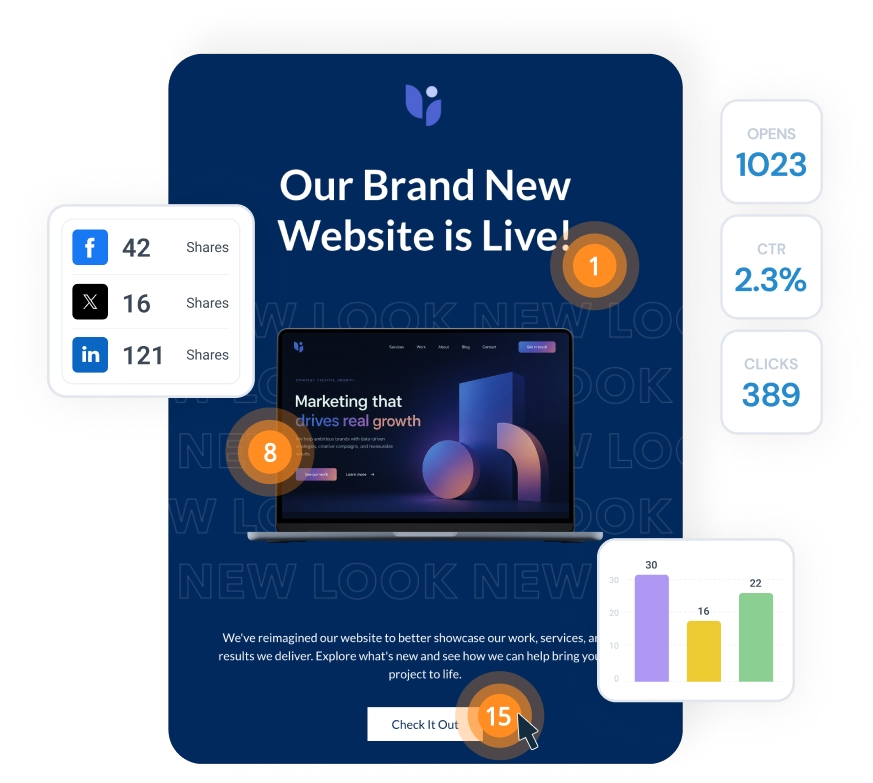
See how your newsletters are performing, in real time, across every channel in your communications programme. With detailed engagement metrics plus in-newsletter poll and survey data, Publicate gives you the insight to keep improving every send.
Find Out More
All Plans
Real-time Analytics Dashboard
See opens, clicks and engagement live as your newsletter lands in inboxes. No waiting for a report. You know how it's performing the moment it goes out.
Plus Plans
Click Maps & Heatmaps
See exactly which content your readers clicked on, visually mapped across the newsletter. Understand what works, and do more of it.
All Plans
Compare Newsletters Side By Side
Select any combination of newsletters and view their performance side by side. Compare last month's newsletters, your last 10 sends, or any custom group.
All Plans
Surface Top-Performing Content
Publicate surfaces the highest-performing content from your newsletters. Spot the articles, sections and formats that consistently drive engagement.
Plus Plans
Poll & Survey Analytics
Collect and analyse poll responses and survey feedback directly from within Publicate. See results alongside your engagement data in one place.
Plus Plans
Device & Location Breakdown
Understand where and how your readers are opening your newsletters, by device type and geographic location.
All Plans
Analytics On Gmail, Outlook Or Anywhere Else
Full opens, clicks, CTR, heatmaps, device type and location data on every newsletter sent through Gmail or Outlook, or anywhere else.
Plus Plans
Analytics on Internal Channels
Full Publicate Analytics on newsletters shared to Teams, Slack, SharePoint, Confluence, Workday, Microsoft Viva or wherever your employees are.
Plus Plans
Analytics On Social Shares
Track full Publicate Analytics for your Facebook, LinkedIn, X, Pinterest, WhatsApp and other social channels, tracking how many times your newsletter was shared and which content drove it.
All Plans
Track Content Shares On Social
Add Social Share to any content in your newsletter and track how often it gets shared to social media platforms.
All Plans
Share Analytics Reports
Create reports from filters, comparisons or individual newsletters with the click of a button. Easily share the Analytics Report via a single URL with whoever you need.
Plus Plans
Download Analytics CSV
Download a CSV of analytics for all your newsletters, a specific filter, newsletter comparisons or an individual newsletter. Analyse the engagement your way.
Collaborate
Newsletter creation shouldn't involve email chains, file versions and chasing approvals. Publicate brings your whole team into a collaborative shared workspace where everything happens together.
Find Out More
Team & Team Plus Plans
Collaborative Team Workspaces
Organise your team, templates, content library and newsletters in shared workspaces. Different teams, departments or brands can each have their own space.
Team & Team Plus Plans
Real-time Co-editing
Multiple team members can work on the same newsletter at the same time, in real time. Think Google Docs, but for newsletters.
All Plans
In-editor Comments
Leave comments directly on specific elements inside the newsletter during the build process. Give and receive feedback in context, without switching to email or Slack.
All Plans
External Feedback Links
Share a review link with anyone, and they can leave comments directly on the newsletter without needing a Publicate account. All feedback in one place.
Plus Plans
Approval Workflows
Build a structured Edit → Review → Send process. Keep newsletters moving through the right hands before they go out, without losing track of where things are.
Team & Team Plus Plans
Role-based Permissions
Control who can create, edit, review, approve and send, and give every team member exactly the access they need.
Team & Team Plus Plans
Team Brand Kit
Brand colours, fonts, logos, designed modules and templates in one central place, available to the whole team.
Quality & Compliance
Get it right before it goes out. Publicate gives you the tools to check, preview and assure every newsletter. Ensure every newsletter meets the standards your organisation and readers require.
All Plans
Desktop & Mobile Preview
Switch between desktop and mobile views at any point during creation. Spot layout issues, check image sizing and make targeted edits.
All Plans
Send A Test Email
Send the newsletter to any email address to see exactly how it renders in a real inbox. Catch any issues before the real send goes out.
All Plans
Built-in WCAG accessibility checker
Newsletters should be for everyone. Publicate's accessibility checker scans for issues that could impact readers with visual impairments.
All Plans
GDPR-safe Sending
Send through Gmail or Outlook natively so employee data never leaves your organisation's own infrastructure. Built for internal comms teams who can't use third-party ESPs.
Time Saving Features
All Plans
Library Integrations
Connect popular content sources like Feedly, Slack, Chrome and RSS feeds to automatically add content to your library as you discover it.
All Plans
Dynamic Web Scraping
When you add web content to a newsletter, Publicate auto-populates and hyperlinks the title, image, description. No manual copy-pasting, or finding images.
All Plans
2 Million+ Royalty-Free Assets
Search over 2 million+ royalty free images, GIFs, icons and stickers from a built-in library. All without even leaving the editor. Just drag and drop.
All Plans
AI Image Generation
The power of AI image generation, right inside the editor, no need to switch tools or interrupt your creation workflow.
All Plans
Newsletter From A Prompt
A single prompt and Publicate builds you a complete, professionally designed newsletter; copy, layout and images included. Never start from a blank page again.
All Plans
Generate From Your Content
Select content from your Publicate library and AI turns it into a relevant, ready to send newsletter in seconds.
All Plans
Generate From A Design
Upload any existing design; HTML, PDF or image, and Publicate rebuilds it as a fully editable newsletter. Design inspiration into your Newsletter.
Team & Plus Plans
Instant On Brand Newsletters
Choose to automatically apply your brand style to any generated newsletter. Engaging newsletters in seconds, and on brand.
All Plans
Mass Edits, ONE prompt
Tell Publicate to "make all CTAs blue" or "add border radius to every image" and it updates the entire newsletter at once. No clicking through elements one by one.
All Plans
Inline Image Editing
Crop, resize and align images directly in the editor. Perfect alignment instantly, no switching to an image editor, everything happens right where you're working.
All Plans
Duplicate Content & Layouts
Copy any element — a button, a text block, an image — or an entire column, row or section with one click. Update content, keep the design.
All Plans
Drag-to-resize Column Widths
Drag column edges to resize and adjust your layout on the fly. No manual pixel adjustments.
Team & Plus Plans
One-click Applied Brand Styles
Apply your Brand Kit to any content, template or newsletter with a single click. Every colour, font and style updates instantly across the entire newsletter.
Team & Plus Plans
Reusable Brand Modules
Save branded headers, footers, CTAs and other brand designed modules once, drag and drop them to any future newsletter. Keep the whole team on brand.
All Plans
Professional Design Modules
Browse professionally designed headers, footers, CTAs, ecommerce sections and more from a built-in module library. Just drag, drop and edit.
All Plans
Saved Templates
Design a great newsletter template once, save it, and reuse it for every future newsletter. Just update the content. Share across team workspaces too.
All Plans
1,000+ Professional Templates
Start from one of the 1000+ professionally designed templates and make it yours. Templates span internal comms, marketing, education, ecommerce and more.
All Plans
Reusable Saved Modules
Save any modules (headers, footers, CTAs, content sections etc) that you spent time designing. Just drag and drop to reuse in any future newsletters.
All Plans
Bulk Content Drag & Drop
Add multiple pieces of content from your library to a newsletter in one drag. Save time building curated or content-heavy newsletters.