
Google Docs Email Templates


Why Document-Style Emails Are Effective
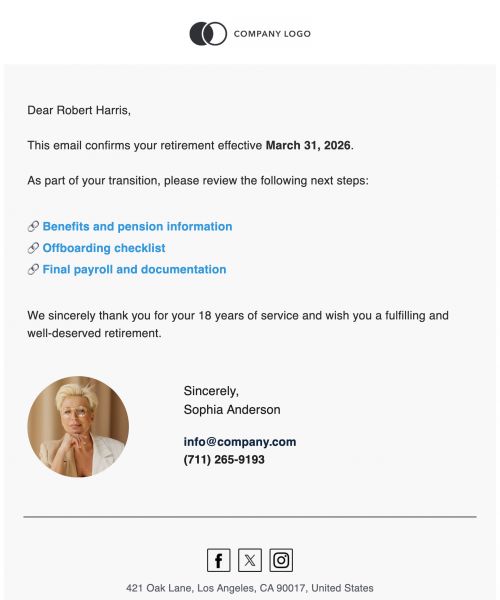
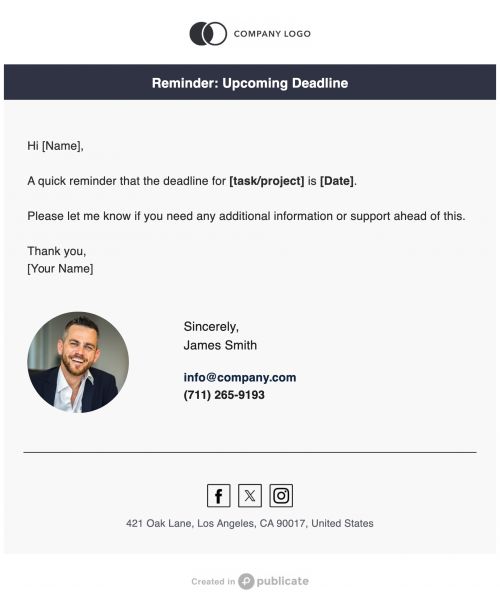
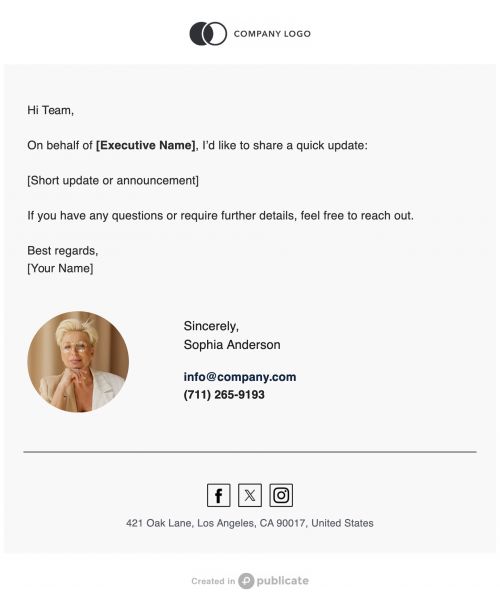
If you value straightforward, easy-to-read content, this format is for you.
Publicate reinforces why simplicity is a communication strength.
Let's show how this style supports clarity and accessibility.
- Easy To Read : Clean formatting improves comprehension quickly.
- Writing Focused : This style is ideal for long-form, instructional, or detailed messages.
- Universally Professional : It works across all industries and audiences.
- No Visual Overload : The design prioritizes clarity over distracting visual elements.
- Highly Versatile : Suitable for announcements, updates, summaries, and more.
Stop over-designing your most important messages.
Publicate emphasizes that this style is effective because it mirrors familiar document formatting.
Why Creating Google Docs–Style Emails Manually Is Difficult
Even "simple" document structure breaks easily in email clients.
Publicate knows even a basic document style is difficult without structure.
Let's identify pain points when trying to recreate clean document formatting in standard email clients.
- Formatting Breaks: Paragraphs, spacing, and headers often collapse or misalign.
- Inconsistent Typography: Email clients handle fonts differently, leading to unpredictable results.
- No Clean Structure: It’s hard to mimic the clean Google Docs layout using plain email tools.
- Alignment Issues: Lists, bullets, and paragraphs become messy and unprofessional.
- Time Consuming: Rebuilding structure for every email wastes time.
Stop fighting complex formatting rules.
Publicate sets the need for structured, document-friendly email templates.
Benefits of Using Google Docs Email Templates
If you want predictable results, you need a repeatable process.
Publicate templates ensure your simple communication is clean and efficient.
Let's highlight why templated document-style emails improve communication.
- Clear Formatting : Structured newsletter layouts improve readability instantly.
- Fast Editing : You can replace text without manually adjusting the layout.
- Consistent Output : Ensures all senders follow the same clean formatting style.
- Professional Look : Clean, organized messaging builds confidence and trust.
- Writing Efficiency : Perfect for long-form communication without design distractions.
Templates connect these benefits back to Google Docs’ strength as a writing-forward environment.
Publicate helps you maximize clarity and speed.
Build Google Docs Email Templates With Publicate’s Features
Publicate’s features are specifically designed to send clear, organized, writing-friendly communication.
- Document-Style Text & Paragraph Blocks: You need text to feel like a document, not a sales pitch. Use Publicate’s text blocks to mimic Google Docs' styling. These are simple, structured text blocks that mimic Google Docs spacing, indentation, and paragraph styling.
- Simple Header & Subheader Structures: Structure is key to long-form reading. Use Publicate’s defined header styles for clean sectioning. These defined header styles mimic document sectioning and break content into logical chunks.
- Clean Divider & Spacing Controls: Good writing relies on clean breaks and white space. Use Publicate’s tools to replicate document-like flow. Our system uses soft dividers and spacing modules to replicate document-like flow.
- Simple Lists & Bullet Layouts: Lists must be clean and minimal. Use Publicate’s lightweight formats that mirror Google Docs’ clean list styling.
- Optional Visual Accent Blocks: Even minimal design can benefit from subtle polish. Use Publicate’s subtle visual blocks to enhance your message. You can use subtle icons, light banners, or minimal visuals to enhance rather than overwhelm the document-style message.
- Reference & Resource Card Sections: If you reference other files, you need to present them neatly. Use Publicate’s link cards that resemble Google Docs’ simple shared-resource format.
With these purpose-built tools, you can ensure every document-style email is structured, professional, and leads directly to the accurate answer you need.
Best Practices for Google Docs–Style Emails
Your Publicate templates give you the structure; now, refine the strategy.
Let's provide tips to help users make the most of document-inspired email design.
- Keep It Minimal : Let text and structure do the work.
- Avoid Heavy Graphics : Preserve the document-like feeling.
- Lead With Purpose : Let recipients know why the message matters.
- Use Clear Headings : Break content into skimmable sections.
- Maintain Space : Whitespace increases comprehension.
- Use Simple Language : Reflect the straightforward Google Docs approach.
- Stay Consistent : Structure should remain predictable.
Follow these tips to ensure users maintain clarity, readability, and minimalism.
When Google Docs Is The Better Choice
These templates are versatile.
See how Publicate templates fit into your communication workflows.
Let's highlight where Google Docs–style templates work best.
- Internal Updates : Clean summaries for teams or departments.
- Reports & Briefs : Lightly formatted emails for quick reviews.
- Meeting Recaps : Document-style structure improves clarity.
- Instructions & How-To Guides : Excellent for step-by-step formats.
- Announcements : Simple, professional communication.
- Educational Content : Well-structured academic or training materials.
- Writing-Focused Emails : Perfect for long-form detail-heavy messages.
Readers should clearly see the practical versatility of this document-first style.
Start Sending Structured Documents With Publicate
You now see how Publicate simplifies one of the most critical professional communications.
Stop struggling to make your text look professional and embrace clean formatting.
Our templates will help you create clean, document-style emails with beautiful templates.
Make structured, readable communication quick, easy, and professional - Try Publicate today!


.svg)