
Pretty Email Templates


The Impact of Pretty Email Designs
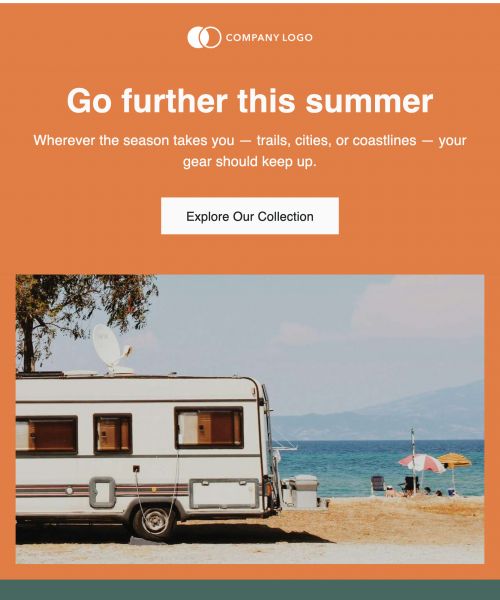
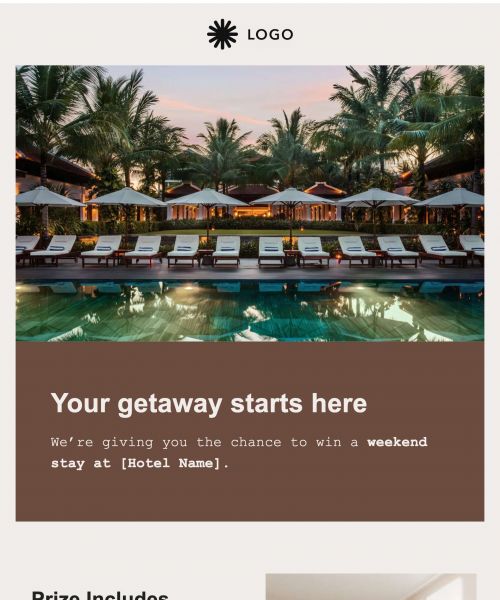
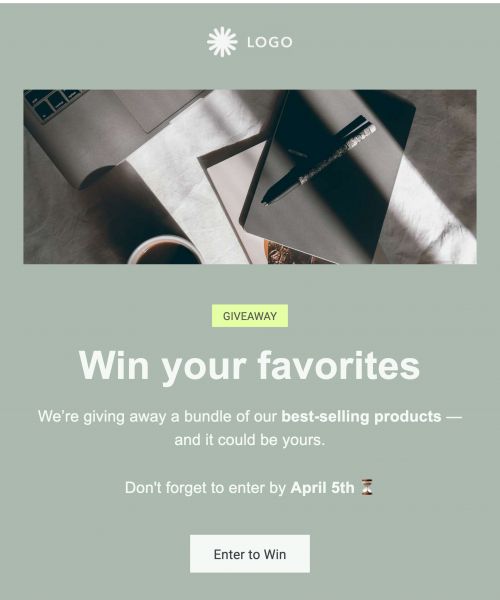
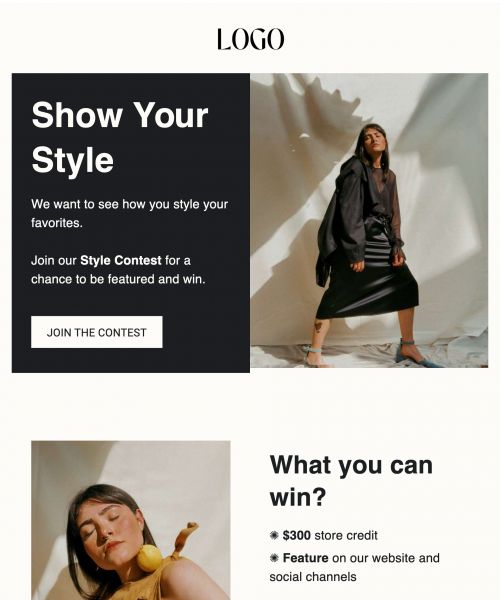
Great design isn’t just about looking good - it affects how people interact with your message.
- Boosts Engagement: Attractive emails naturally draw the reader’s eye, making the content feel more inviting to explore.
- Builds Brand Recognition: A consistent design style keeps your brand instantly recognizable and strengthens long-term trust.
- Improves Readability: Clean layouts with clear spacing help readers scan quickly without feeling overwhelmed.
- Increases Click-Through Rates: When design highlights important actions, people are more likely to click.
- Creates Professional Presence: Beautiful design signals attention to detail and makes your company feel polished.
Pretty emails directly influence how well your message performs. When an email feels visually appealing, readers stay longer, engage more, and understand the content more easily.
Challenges With Creating Pretty Emails Manually
Designing an attractive email from scratch is harder than most expect. Even small design choices require time, judgment and tools that most standard editors don’t offer.
- Design Skill Gaps: Not everyone has a designer’s eye, making it difficult to create layouts that feel balanced and modern.
- Formatting Issues: Complex design elements can break or shift across different email clients. With Publicate, you can create pretty emails for Gmail, Outlook and more.
- Limited Tools: Basic editors often lack color control, spacing tools, or advanced design options.
- Brand Inconsistency: When every sender chooses their own fonts, colors, or imagery, the brand loses cohesion.
- Time-Consuming: Starting from a blank canvas takes significantly longer than customising an existing design.
Pretty email templates take away the need for design expertise and let anyone produce high-quality emails with ease.
Benefits of Using Pretty Email Templates
Beautiful templates make stylish email design accessible. They offer a strong visual foundation while still giving teams the flexibility to personalise content quickly.
- Instant Visual Appeal: Professionally crafted layouts give emails a strong, aesthetic presence right from the start.
- Brand-Aligned Styling: Templates follow visual patterns that make it easy to stay aligned with your brand’s look and feel.
- Effortless Customization: Adjust text and images without disrupting the polished structure.
- High Engagement: Readers pay more attention when the design feels intentional and visually rich.
- Versatility: Whether it’s a newsletter, announcement, or promotional message, the layout stays beautiful.
Templates help anyone design attractive emails without needing advanced tools or creative skills.
Features For Creating Pretty Emails in Publicate
Publicate includes powerful visual tools specifically designed to make emails more beautiful, structured, and on-brand, without the complexity of traditional design software.
- Designer-crafted layout themes: These professionally built templates use carefully selected color palettes, elegant spacing, and modern visual patterns that instantly raise the look of your email.
- Advanced spacing and padding controls: These controls help create airy, balanced layouts with clean separation between sections.
- Customizable border and shape styling: Borders, soft corners, dividers, and shape-based elements add subtle visual personality.
- Full-width and split-section modules: Allow bold hero images, side-by-side content blocks, or magazine-like layouts.
- Typography styling: Control font pairings, sizes, line spacing, and emphasis for a cohesive, readable design.
- Background image and color layering: Use gradients, patterns, or full-color sections to add depth.
- Royalty-free visual library: Access tens of thousands of photos, illustrations, icons, and design elements.
Together, these features make it easy for anyone to design gorgeous, polished emails in minutes.
Best Practices for Pretty Emails
Design plays a huge role in how readers experience your message.
- Use Visual Hierarchy: Start with bold sections and clear headings.
- Choose On-Brand Colors: Stick to a consistent palette.
- Keep Text Minimal: Let visuals carry the message.
- Balance White Space: Clean spacing feels premium.
- Use High-Quality Images: Clear visuals elevate the design.
- Keep Layout Simple: Beautiful ≠ busy.
- Align Elements Cleanly: Small details improve polish.
- Test On Mobile: Publicate ensures layouts stay beautiful on every screen.
How to Make Pretty Emails Stand Out While Staying On-Brand
- Use On-Brand Color Palettes
- Balance Decorative Elements With Simplicity
- Choose Consistent Typography Styles
- Apply Visual Hierarchy
- Use Brand-Approved Imagery
- Elevate CTAs Without Breaking Aesthetic
- Test Across Devices
The Best Time To Use Pretty Email Templates
Pretty email templates shine when visual appeal directly influences engagement.
- Product features or highlights
- Community updates
- Event invitations
- Creative campaigns
- Loyalty programs
- Inspirational content
- Modern internal announcements
Create Beautiful, On-Brand Emails With Ease
Pretty email templates help anyone build stunning, polished emails that feel custom-designed.
Try Publicate today


.svg)