
Canva Email Templates




What Makes a Canva-Style Email Template Stand Out
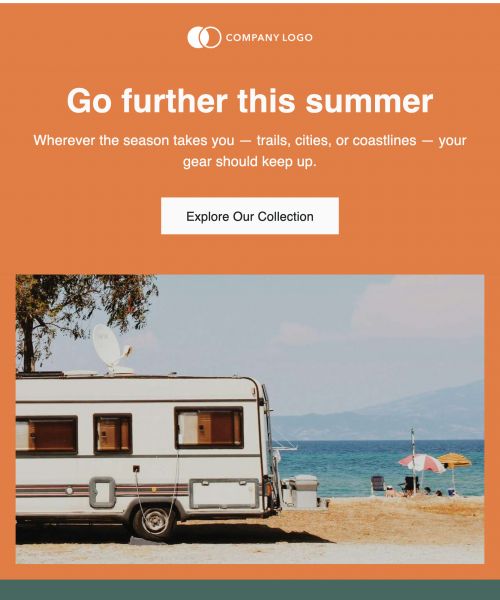
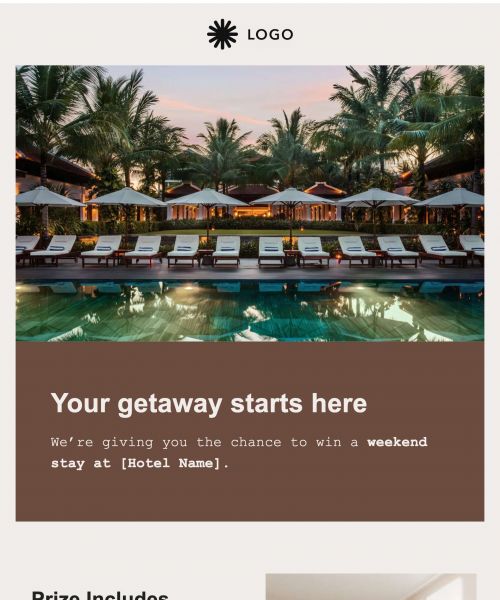
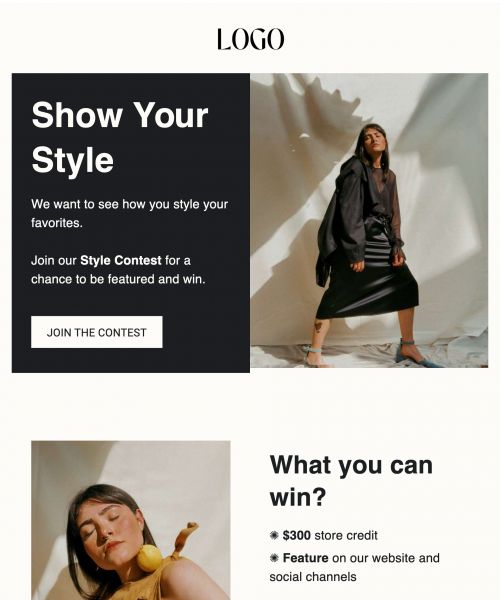
Canva-style email templates stand out because they prioritize clarity and approachability. The goal isn’t to overwhelm readers with design, but to make content easy to read and visually balanced.
- Clean, visual layouts that feel open and modern.
- Simple typography and spacing that improve readability.
- Clear hierarchy that guides the reader naturally.
- Strong but restrained use of imagery.
- Easy-to-edit structure that doesn’t require technical skills.
The most effective Canva-style emails feel welcoming and intuitive. They’re designed so anyone on the team can update content confidently without worrying about breaking the layout.
Why Canva-Style Design Is Popular for Emails
The appeal of Canva-style design comes from how accessible it is. It lowers the barrier to creating something that looks professional.
- Non-designers can create polished visuals quickly.
- Visual editing speeds up content creation.
- Clean aesthetics feel modern and familiar.
- Reusable patterns encourage consistency.
- Branding is easier to apply and recognize.
For many teams, this approach removes friction. Instead of waiting on design resources, marketers and communicators can move faster while still maintaining a strong visual standard.
The Limitations of Canva-Only Email Design
While Canva-style design works well visually, email introduces challenges that pure design tools aren’t built to handle.
- Designs aren’t always safe across different email clients.
- Visual layouts can break when translated into email code.
- Managing reusable email systems becomes difficult.
- Live email workflows offer limited collaboration.
- Extra steps are needed to turn designs into sendable emails.
These limitations often show up later, when teams try to scale or reuse designs. Publicate fills this gap by combining visual simplicity with email-specific reliability.
How Publicate Helps You Achieve Canva-Style Email Templates
Publicate takes the ease and clarity people like about Canva-style design and applies it to email-first workflows.
- Design clean, visual layouts inspired by Canva’s simplicity.
- Use drag-and-drop modules built specifically for email.
- Maintain consistent branding across every send.
- Reuse layouts instead of redesigning each email.
- Export or send emails confidently across clients.
This approach lets teams keep the speed and approachability of visual design while removing the uncertainty that comes with email rendering and reuse.
Features in Publicate That Support Canva-Style Email Templates
Publicate includes features designed to support visual simplicity and ease of use, without overlapping with automation-heavy platforms.
- Drag-and-Drop Visual Modules: Visual modules let teams build emails without coding. The experience mirrors the simplicity Canva users expect, while staying grounded in email-safe structure.
- Professionally Designed Layout Blocks: Pre-built layout blocks provide clean, modern sections that can be customized quickly. These blocks help maintain visual consistency without starting from scratch.
- Brand Kit and Asset Management: Brand kits apply colors, fonts, and logos consistently across emails. This prevents brand drift as more people contribute to email creation.
- Image and Media Handling Built for Email: Publicate handles images and media in a way that works across inboxes. This avoids broken layouts and unexpected rendering issues.
- Email-Ready HTML Output: Visual designs are translated into reliable, email-ready HTML. This removes the need for extra conversion steps and manual fixes.
Together, these features let teams design visually strong emails without worrying about technical pitfalls.
Best Practices for Canva-Style Email Templates
Even simple designs benefit from a few guardrails. These practices help Canva-style email templates stay effective.
- Keep email layouts simple and clearly structured.
- Use visuals intentionally, not as fillers.
- Avoid overcrowding sections with too much content.
- Maintain consistent spacing throughout.
- Design with mobile in mind first.
- Preview emails before sending.
Following these practices ensures emails stay readable, reliable, and on-brand as volume grows.
When Canva-Style Email Templates Work Best
Canva-style templates are especially effective in situations where clarity and speed matter.
- Marketing Campaigns: Create clean, on-brand visuals quickly.
- Product Announcements: Highlight key messages without distraction.
- Event Promotion: Combine visuals and information clearly with event email templates.
- Internal Updates: Improve readability and engagement.
- Small Teams: Move fast without sacrificing quality.
In these contexts, visual simplicity helps messages land more clearly.
Build Canva Emails That Are Ready to Send
Canva-style email templates show that good design doesn’t have to be complicated. With the right structure behind it, visual simplicity becomes a strength instead of a risk. Publicate gives teams the ability to design emails that look clean and modern while staying reliable in real inboxes.
Instead of juggling design tools and email platforms, teams can work in one place, reuse what works, and send with confidence. Create Canva-style email templates that combine visual ease with email-ready reliability.
Try Publicate today


.svg)