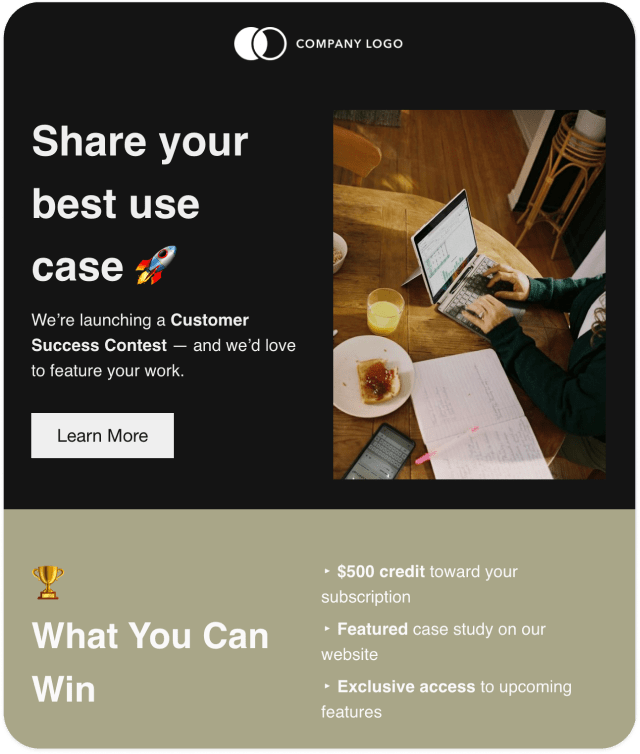
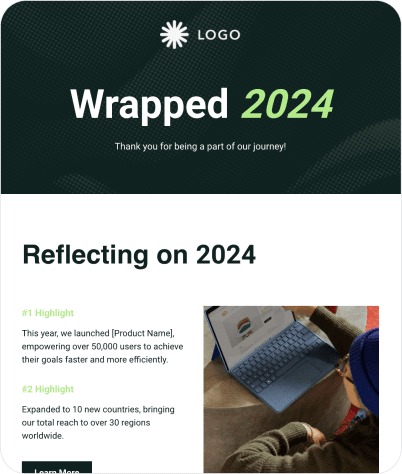
Turn Any Email Design Into Editable HTML
Turn any existing email design into an editable HTML newsletter. Upload a PDF, image or HTML file, customise it in our editor and send through 50+ email services with ease.

Ready to Convert Your Design?

Join 10,000+ Companies that Trust Publicate














Convert Your Email Design to HTML in 3 Simple Steps
Upload Your Design
AI Rebuilds Your Design
Customise and Send
From Static Design to Editable HTML Email
Your Design, Your Way. Edit Every Detail.
.svg)
Drag-And-Drop Editing
.svg)
Duplicate in One Click
.svg)
Ready-Made Design Modules
.svg)
Customise Every Detail
.svg)
Refine Your Design With AI
.svg)
Collaborate With Your Team

Convert Any Format To HTML Email
Your Newsletter, Your Way. Send, Share or Download.
Go Beyond Sending. See How Your Emails Perform.
Frequently Asked Questions
-
How do I convert an existing email design to HTML?
Upload your existing email design as a PDF, image or HTML file to Publicate. The AI-powered converter recreates your design as an editable HTML email newsletter. From there, you can customise the layout, update content and prepare your newsletter for sending using Publicate's editor.
-
Can I convert a PDF newsletter into an editable HTML email?
Yes! Publicate lets you upload an existing PDF newsletter and convert it into an editable HTML email. Instead of sending your newsletter as a PDF attachment, you can customise the converted design and send it as a mobile responsive email that recipients can read directly in their inboxes.
-
How do I turn an image into an HTML email?
Simply upload your newsletter design as a JPG or PNG image. Publicate's AI analyses the design and recreates it using editable email elements, including text, images and layout sections. You can then refine the design in Publicate's editor before sending or downloading your HTML email.
-
Can I convert a Canva, Figma or Photoshop design into an HTML email?
Yes! You can export your Canva, Figma or Photoshop design as a supported image or PDF file and upload it to Publicate. Its AI-powered converter will recreate the design as an editable HTML email, allowing you to customise it without having to rebuild it from scratch.
-
Can I edit the layout, text and images after converting my design?
Absolutely. Once your design has been converted, you can use Publicate's drag-and-drop editor to modify text, replace images, rearrange sections, adjust spacing and customise fonts and colours. You can also use AI-powered writing tools to refine your newsletter's content and tone.
-
How accurately does Publicate’s AI recreate my original newsletter design?
Publicate's AI uses your uploaded design as a reference to recreate it as an editable HTML email. The converted newsletter may not be an exact, pixel-perfect reproduction, but it will be as close a representation as possible. You can always further refine the layout, adjust formatting and customise individual elements using Publicate's editor too.
-
Will my converted HTML email work in Outlook, Gmail and other email service providers?
Publicate is designed to create HTML newsletters compatible with major email clients, including Outlook and Gmail. You can prepare and send your converted newsletter through 57+ email platforms while using Publicate's editor to refine the layout and content before sending.
-
Can I download my converted newsletter as an HTML file?
Yes. Publicate allows you to download your converted newsletter as an HTML file. You can also export your newsletter in other available formats, including JPEG and PDF, or use Publicate's supported sending and sharing options.
-
Do I need coding or HTML knowledge to use Publicate?
Not at all. Publicate's AI-powered converter and drag-and-drop editor let you create and customise HTML email newsletters without writing any code. Simply upload your existing design, make any adjustments in the visual drag and drop editor to prepare your newsletter for sending.
-
Can I convert my email design to HTML for free?
Yes! Publicate offers a 14-day free trial with 20 credits to explore its AI-powered features, including converting existing designs into editable HTML emails. If you need additional credits, you can purchase more during your trial.
Your Design Is Ready. Let's Make It Email-Ready.
Turn your existing design into an editable HTML email with Publicate's AI. Upload your design, make it your own and get ready to send.