
In our October 2024 edition of Online Campus News You Can Use, we advise you of important tool updates, tasks, and upcoming events to help faculty deliver high quality online instruction.
Hot Topics
AI Design Assistant - Discussions
In Fall 2024, we will release one additional Blackboard AI Design Assistant tool for authentic assessment each month. These tools are secure, private, and complement existing instructor-driven workflows. In October, we will launch the Discussion generation feature to help instructors create critical thinking discussion assignments. For more details, watch our video tutorial.
At this time, Anthology has no plans to support AI detection tools due to their high failure rates and the harm they pose to English language learners and minority students. Read AI, Academic Integrity, and Authentic Assessment: An Ethical Path Forward for Education for details.
Faculty Favorites: Tools to Transform Teaching
Every month, we would like to highlight new Ultra course features that MATC faculty highly recommend using to enhance teaching and grading workflows. If you would like to share examples from your own experience in future editions of the newsletter, contact onlinelearning@matc.edu.

Individual Feedback for Test Answers
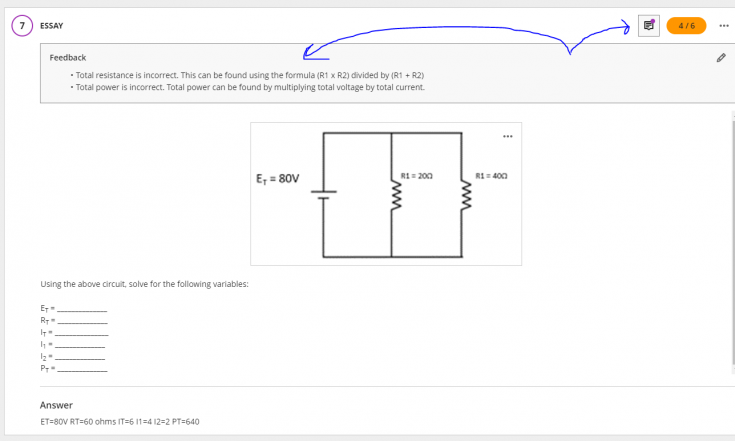
HVAC instructor Doni Bartley says "One of my favorite things is being able to give feedback on individual test questions for students". This feature is available when grading tests in the flexible grading interface. To assign feedback by question when grading a student's test attempt, click on a question's feedback button and enter feedback specific to the student's response.
New Layout Options in Ultra Documents
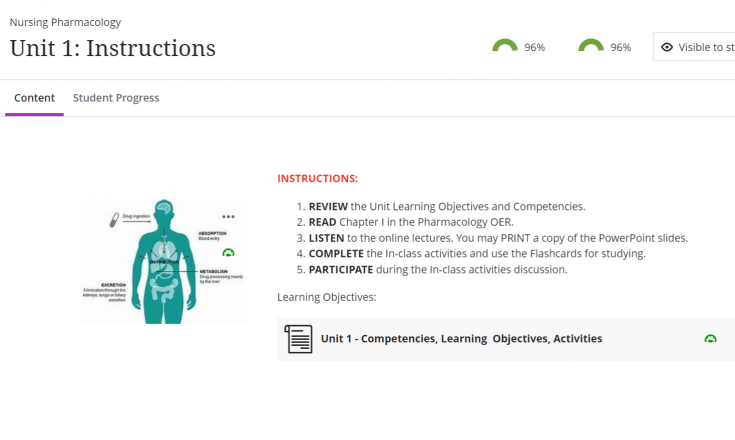
Nursing instructor Noel Caballero says one of his favorite things is "...the ability to adjust and move images under the content area - which adds not just color to the page but some design and different layout". The feature, called Content Designer, is available when creating or editing Ultra Documents. The Content Designer allows you to create a variety of page layouts with text, images, videos, files, and knowledge check questions.
Annotation Tools to Personalize Feedback
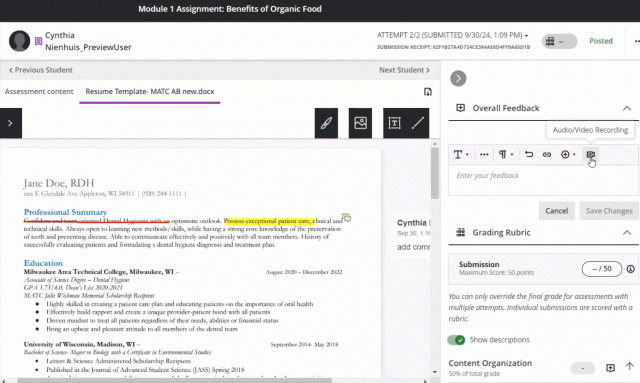
Dental Hygiene instructor Cynthia Nienhuis recommends using the Bb Annotate inline annotation, rubric, and audio/video feedback tools when grading assignments. This is useful for making personalized and engaging feedback that is clear to learners. See Cynthia's demonstration here. These are functions of the Inline Grading tool and Bb Annotate in Ultra Courses.
Upcoming Special Events
Ally Workshop Fall 2024 Schedule
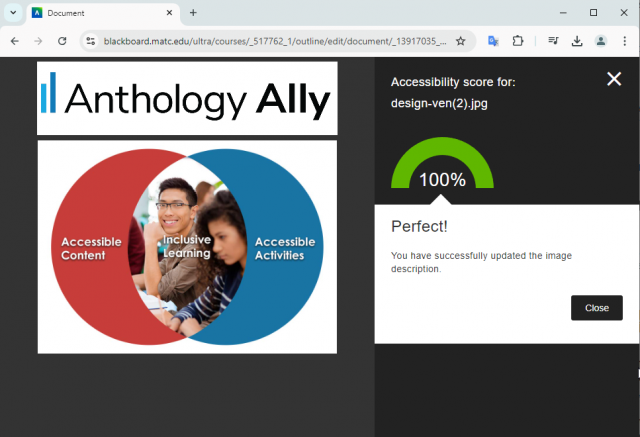
The U.S. Department of Justice requires public facing institutions, such as MATC, to ensure that digital course materials meet web content accessibility standards. To help faculty meet this need, Ally is available within Blackboard. In collaboration with MATC's Center for Teaching Excellence, we are pleased offer a Schedule of Ally Workshops with face to face and virtual options this month. These sessions assume that you are familiar with using Blackboard for instruction and have access to a course shell for hands-on practice. RSVP by contacting futterja@matc.edu
Upcoming Sessions
- Tuesday October 1 - 5:00 to 7:00 PM CST
- Monday October 7 - 11:00 AM to 1:00 PM CST
- Thursday October 17 - 6:00 to 8:00 PM CST
- Thursday October 24 - 12:00 to 2:00 PM CST
SmarterProctoring Training Schedule
Faculty who want to use an automated online proctoring tool for Blackboard tests this Fall are encouraged to attend this virtual training series. Register for the series through this link and attend your choice of sessions! These short sessions are led by Sean Doty from SmarterProctoring and will focus on specific topics.
Upcoming Sessions
- Exam Creation
October 18th, 2024 at 10 AM CST - Exam Accommodations & Reviewing Sessions
October 24, 2024 at 3:00 PM CST

Training for Teaching Online
The Faculty Appendix will soon contain language that requires new instructors expecting to teach online, blended, virtual, hybrid, or hyflex courses to complete ZERD-190 and ZERD-219 as well as demonstrate the 21st Century Classroom Level 2 standards. See our Fall 2024 Professional Development Schedule for a full list of our offerings.
Upcoming Sections
The basics of the Blackboard Learning Management System are covered in this course.
- ZERD-190-203 (Virtual) - 1 CR
Mondays October 14 & 21 from 5 - 9 PM - ZERD-190-202 (Virtual) - 1 CR
Thursday November 14 & 21 from 4:30-8:30PM

Anthology's Digital Teaching Symposium 2024
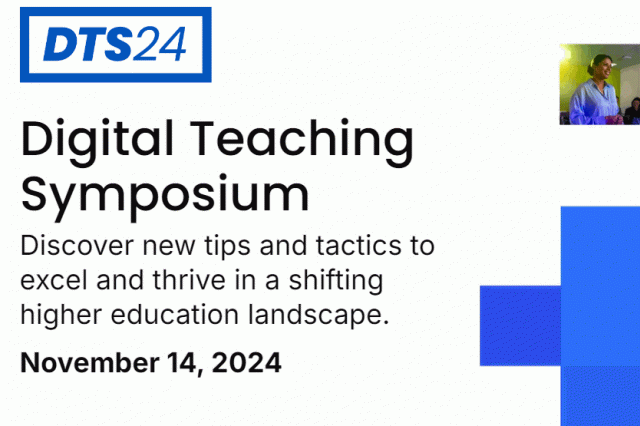
All faculty are invited to attend Anthology's 8th Annual Digital Teaching Symposium on November 14th. This free virtual professional development event will cover topics in applied and AI powered pedagogy, digital teaching skills in Blackboard, and inclusive course design. Register to attend live virtual sessions or access recordings at a later time. Anthology will grant a professional development certificate for attendance.
Ultra Support
Faculty Resources
The Center for Teaching Excellence provides one on one faculty Blackboard Ultra support. Contact your faculty development coach or cte@matc.edu. The Online Campus faculty liaisons are available by appointment to consult regarding high quality online instruction. For high-level troubleshooting of errors or activity that requires investigation, Contact the Online Campus. A Blackboard administrator will be in contact with you.
For self-directed or just-in-time training on Blackboard Ultra and other tools, see the following resources on the Ultra Faculty Support website:
Student Resources - Share with Your Students!
See our Staff Resources Guide to Blackboard Ultra to review the training and support options we provide to students. In addition to options for live and self-paced online learning orientations, students can access support through the Student Online Learning Support Site.
Share our self-paced Online Readiness module and live orientation webinar schedule with your students to help them learn about the tools, tasks, and strategies to start their studies strong. If you share the Online Readiness module as a link in your course, use this specific URL: https://www.go2orientation.com/learn/course/matc-online-readiness?client=matc. This will take the student to an MATC login page where the student will log in with their MATC network account!
Log into the Online Orientation with an MATC network account to access a self-paced overview of the tools and processes successful online students use in their classes.
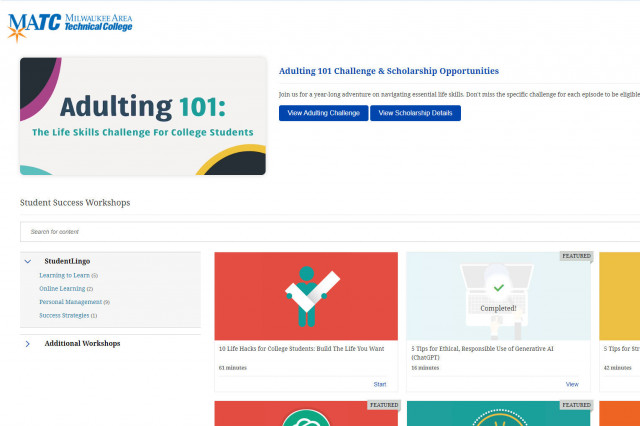
When logged into the Online Orientation, click on the Student Success Workshops link for on-demand training on generative AI, study skills, life skills, and more!

RSVP to join a Google Meet session lead by experts in the Online Campus. These sessions are perfect for viewing a live demonstration of Blackboard navigation and asking questions.