
Welcome to your June 2024 edition of Online Campus & Edtech News, a brief monthly student-focused newsletter to support your success in online learning and use of educational technology resources at Milwaukee Area Technical College. In this edition, we share some important updates and online student support resources.
Tools & Resources
Online Learning Resources
If you are taking online or partially online courses this semester, we strongly recommend viewing the self-paced Online Readiness module or attending a live orientation webinar to learn about the tools, tasks, and strategies to start your studies strong. Additional student success workshops are available for on-demand training on specific academic and career skills.
Log into the Online Readiness module with an MATC network account for a self-paced overview of the tools and processes successful online students use in their courses.
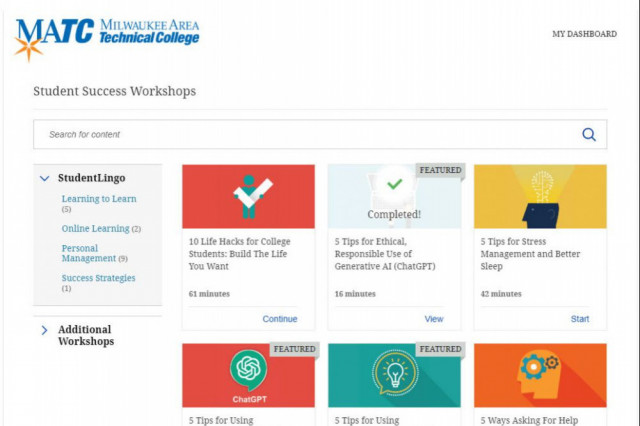
Log into the Online Orientation and click Student Success Workshops for on-demand training on financial literacy, reducing test anxiety, student success strategies for first generation students, and more!

Blackboard Navigation Support
The college's official platform for delivering courses is Blackboard. All online and partially online courses use Blackboard, but instructors teaching face to face courses may also use Blackboard to provide content, assessments, and grade feedback. See the Online Access Guide and the Online Student Support Website for support. Please note - dates that appear on the Blackboard courses page only reflect how soon your instructor could make a course available for early access. Always refer to your class schedule in Self-Service for the official course start dates!
New Courses Page Navigation
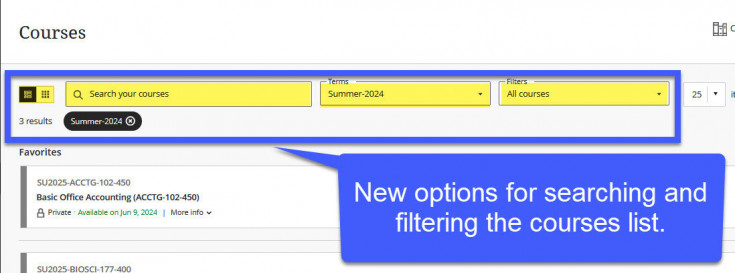
As of June 8, 2024, students will experience a new Courses Page Navigation with streamlined options for searching and filtering the courses list. The settings you select will remain selected each time you access Blackboard unless you change them. If you have questions about the navigation, contact the Online Campus.

Watch this video for an overview of Ultra navigation
Using Ally in Blackboard Ultra
Did you know that you can download course materials from Blackboard in alternative formats and languages? Wherever you see the Ally "A" symbol in an Ultra Course, you can click to download content as speech-to-text MP3 audio, machine translated language, and electronic braille, or use assistive tools such as beeline reader and immersive reader.


Watch this video to learn about alternative document formats.
Ally Resources
Community & Connection Corner
Student Support Hub


