In our September 2024 edition of Online Campus News You Can Use, we advise you of important tool updates, tasks, and upcoming events to help faculty deliver high quality online instruction.
Hot Topics
Blackboard Ultra Content Outline Change
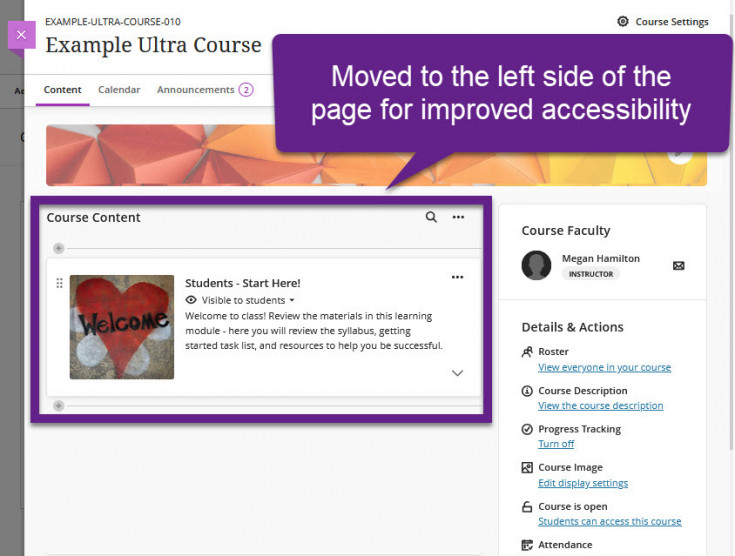
After September 7, 2024, faculty and students will see the following changes to the Course Content outline to enhance navigation and improve accessibility for mobile devices and screen-readers. These include:
- The outline will move to the left side of the page.
- The icons for creating or moving content will appear on the left side of the page with improved visibility.
- Modules and folders will have improved visual depth.
No other changes for creating or managing content will occur. Anthology acknowledges that the timing of this change was not ideal. They have taken our feedback to improve the timing of future updates.
YuJa Updates
If you have uploaded videos to the YuJa Video Platform, make sure that they include closed-captions. This is a requirement under the Americans with Disabilities Act enforced by the U.S. Department of Justice. For more information, refer to these resources.
- Caption Your YuJa Videos Automatically
- Use Search in the Media Library to Find Your Videos
- Deleting Media Content
- Requesting Auto-captions in Other Languages
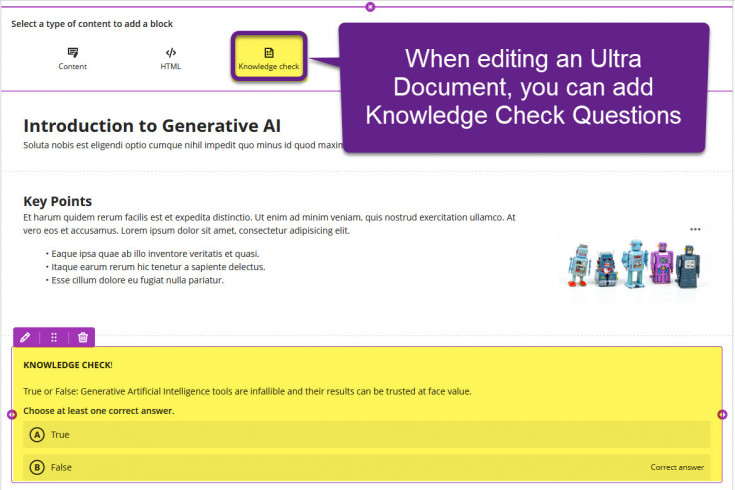
The following new features are available in the YuJa Editor to enhance your videos!
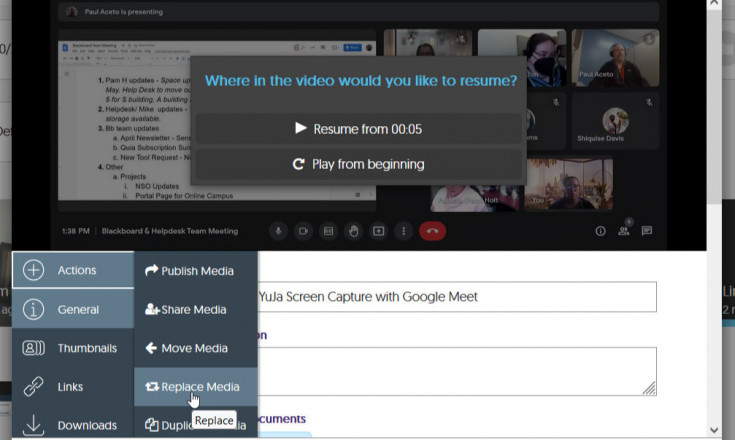
When viewing Media Details in the YuJa Video Platform, you may replace content and update all associated Embed Links with it.
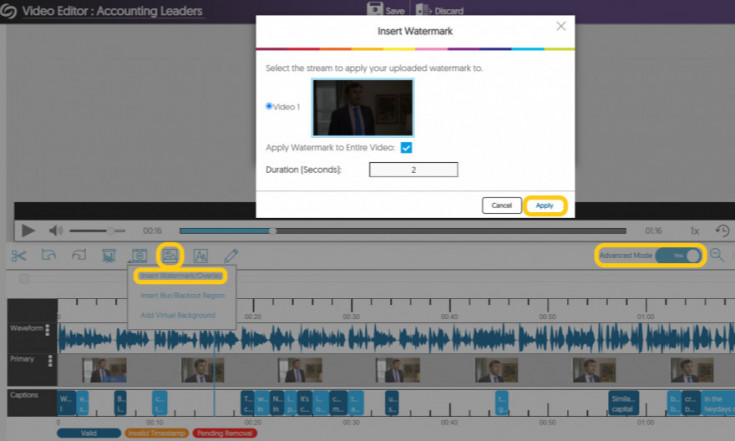
YuJa's Video Editor offers a tool to blur portions of an image on your screen or to fully blackout a portion of the media. See a brief demonstration here.
Upcoming Special Events
Ally Workshop Fall 2024 Schedule
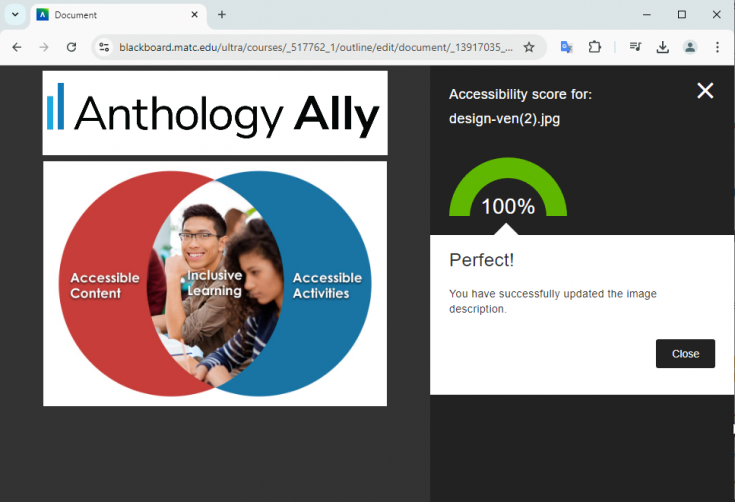
As of June 2024, the U.S. Department of Justice requires public facing institutions, such as MATC, to ensure that digital course materials meet web content accessibility standards. To help faculty meet this need, Ally is available within Blackboard. In collaboration with MATC's Center for Teaching Excellence, we are pleased offer a Schedule of Ally Workshops with face to face and virtual options this September through December. RSVP by contacting futterja@matc.edu.
UPCOMING SESSIONS
- Friday September 6 - 10:30 AM to 12:30 PM CST
- Tuesday September 17 - 11:00 AM to 1:00 PM CST
- Thursday September 26 - 12:00 PM to 2:00 PM CST
Training for Teaching Online
The Faculty Appendix will soon contain language that requires new instructors expecting to teach online, blended, virtual, hybrid, or hyflex courses to complete ZERD-190 and ZERD-219 as well as demonstrate the 21st Century Classroom Level 2 standards. See our Fall 2024 Professional Development Schedule for a full list of our offerings.
UPCOMING SECTIONS
The basics of the Blackboard Learning Management System are covered in this course.
- ZERD-190-201 (Virtual) - 1 CR
Fridays September 20 & 27 from 9 AM - 1 PM - ZERD-190-203 (Virtual) - 1 CR
Mondays October 14 & 21 from 5 - 9 PM
ZERD-219-200 Online Instructional Quality
This course is designed to empower educators to elevate their
proficiency in the 21st Century Classroom Level 2. Learners will be introduced to topics surrounding the "why" and "how" of online instructional quality such as learning theory and cultural relevance, roles within the learning environment, online course design and alignment strategies, collaboration, and motivating online students. Completion or co-enrollment of ZERD-190 is required.
- ZERD-219-200 (Hyflex) - 1 CR
Fridays September 27 - October 18 from 8 AM - 10 AM

Ultra Support
Faculty Resources
The Center for Teaching Excellence provides one on one faculty Blackboard Ultra support. Contact your faculty development coach or cte@matc.edu. The Online Campus faculty liaisons are available by appointment to consult regarding high quality online instruction. For high-level troubleshooting of errors or activity that requires investigation, Contact the Online Campus. A Blackboard administrator will be in contact with you.
For self-directed or just-in-time training on Blackboard Ultra and other tools, see the following resources on the Ultra Faculty Support website:
Student Resources - Share with Your Students!
See our Staff Resources Guide to Blackboard Ultra to review the training and support options we provide to students. In addition to options for live and self-paced online learning orientations, students can access support through the Student Online Learning Support Site.
Share our self-paced Online Readiness module and live orientation webinar schedule with your students to help them learn about the tools, tasks, and strategies to start their studies strong. If you share the Online Readiness module as a link in your course, use this specific URL: https://www.go2orientation.com/learn/course/matc-online-readiness?client=matc. This will take the student to an MATC login page where the student will log in with their MATC network account!

Log into the Online Orientation with an MATC network account to access a self-paced overview of the tools and processes successful online students use in their classes.
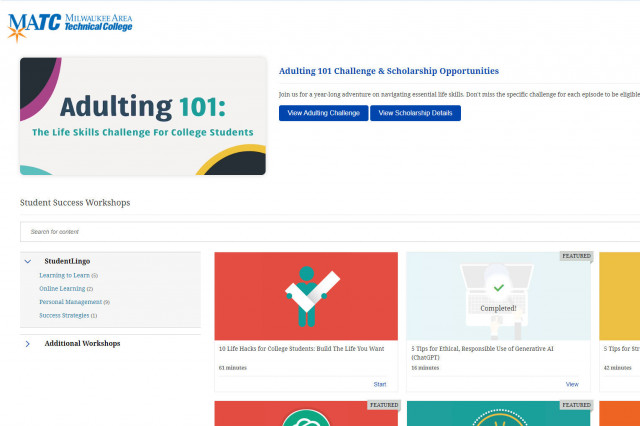
When logged into the Online Orientation, click on the Student Success Workshops link for on-demand training on generative AI, study skills, life skills, and more!

RSVP to join a Google Meet session lead by experts in the Online Campus. These sessions are perfect for viewing a live demonstration of Blackboard navigation and asking questions.